
Exercise XSS – DOM based
1. Introduction
Hack and fix the DOM-based vulnerable web site.
Your goal is to find and exploit the DOM based XSS vulnerability.
Fix the vulnerable web site using the built-in Theia Web IDE
If you see something like this, you’re good:
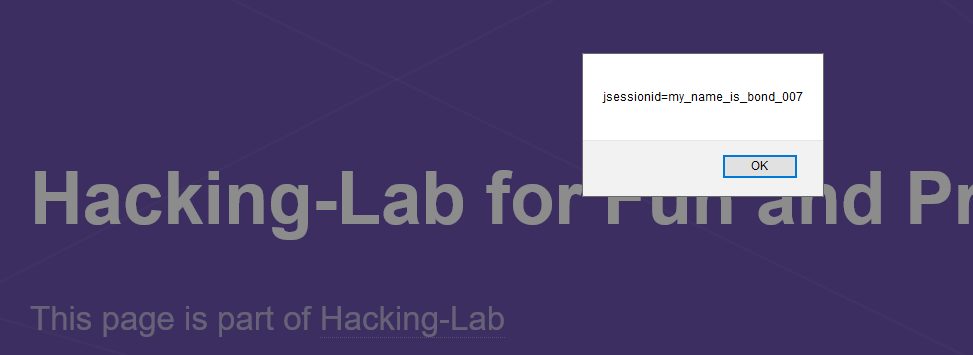
Please answer to the following questions:
- Explain the meaning of # in the URL
- Explain the difference between Stored XSS, Reflected XSS and DOM based XSS
- Explain the fix in the last step
2. Answer and solution
On the get in touch section where we can switch between different locations we can find the DOM based XSS vulnerability.
start.html#<script>alert(1)</script>
The following example will show a javascript alert popup, when we add a script tag.
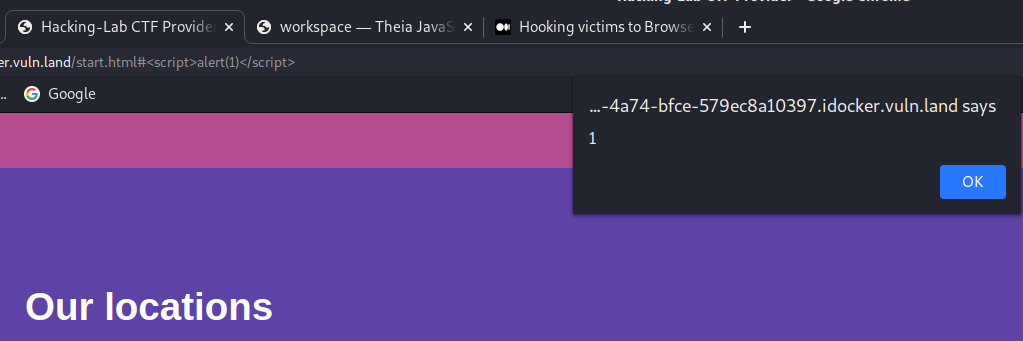
- In jQuery
#is known asid selectorand selects a single element with the given id attribute.
CallingjQuery()(or $())with an id selector as its argument will return a jQuery object containing a collection of either zero or one DOM element.
Each id value must be used only once within a document. If more than one element has been assigned the same ID, queries that use that ID will only select the first matched element in the DOM. This behavior should not be relied on, however; a document with more than one element using the same ID is invalid.
2.1 XSS Summary
Stored XSS
Stored XSS, also known as persistent XSS, occurs when a malicious script is injected directly into a vulnerable web application.
Reflected XSS
Reflected XSS involves the reflecting of a malicious script off of a web application, onto a user’s browser. The script is embedded into a link, and is only activated once that link is clicked on.
DOM based XSS
In DOM-based XSS, the malicious JavaScript is executed at some point after the page has loaded, as a result of the page’s legitimate JavaScript treating user input in an unsafe way
3. Issue fix
The issue can be fixed if the inline html code will be displayed as text instead of html.
var loc = decodeURIComponent(location.hash.slice(1));
            $('#locationName').text(loc);
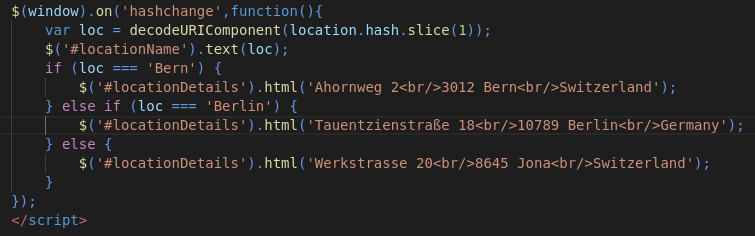
Before fix:
start.html#<s>Headquarters</s>

After fix: