

Task1 – Create a hunt for RDP brute force
If you have not done so, or you are not sure enable RDP. To do this open an elevated PowerShell in your Windows 10 VM:
Set-ItemProperty -Path 'HKLM:\System\CurrentControlSet\Control\Terminal Server' -name "fDenyTSConnections" -value 0
Enable-NetFirewallRule -DisplayGroup "Remote Desktop"
Perform an RDP bruteforce attack from your live cd:
Perform an RDP bruteforce attack from your live cd:
cp /usr/share/wordlists/rockyou.txt.gz ~
cd ~
gunzip rockyou.txt.gz
hydra -t 1 -V -f -l someuser -P rockyou.txt rdp://IP.OF.YOUR-WIN10.VM</code></pre>
Write a detection rule for RDP bruteforce (e.g. X attacks in Y minutes).
Task2 – Create a hunt for User added to local admin group
Run the following code on your Windows 10 VM in an elevated PowerShell:
New-LocalUser -Name "hacker" -Description "Description of this account." -NoPassword
Add-LocalGroupMember -Group "Administrators" -Member "hacker"
Answer and solution
Hunt for Task 1
IP Address of my Hackinglab: 192.168.71.131
Monitored Win10 Target: 192.168.71.130
Starting RDP Bruteforce Attack with Hydra:

After a short while I can see the failed login attempts in my elastic cloud kibana dashboard:

For every failed login attempt a Windows EventID 4625 is created.
Normally I’d suggest to create a treshold rule for that. That’s an effective way to detect bruteforce attacks.
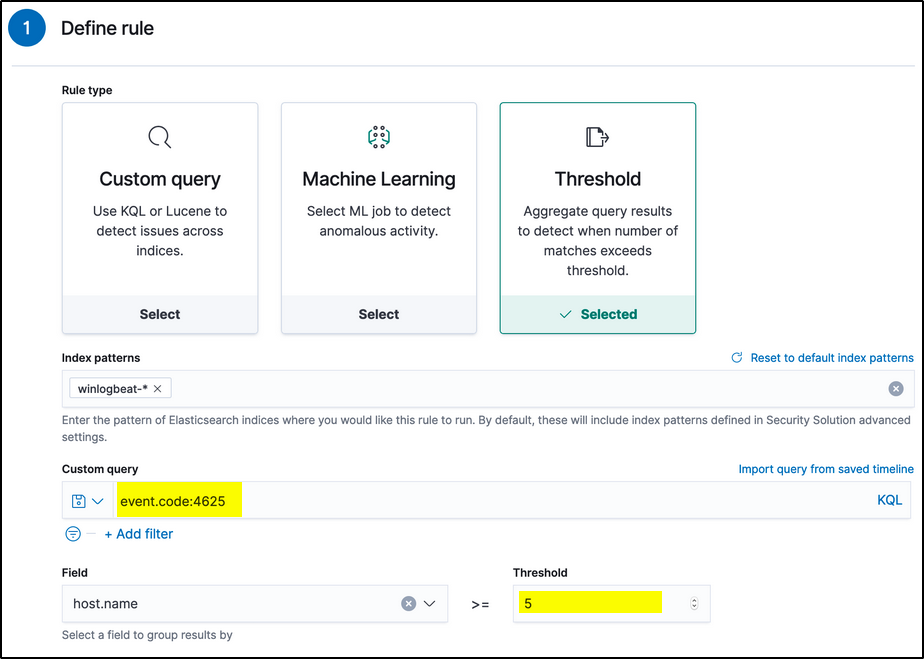
But we need something in EQL. Let’s check the events:

Maybe we can create a rule where event.action contains logon-failed and destination.port is RDP 3389
sequence with maxspan=5m
[any where event.action like~ "logon-failed"]
[any where event.action like~ "logon-failed"]
[any where event.action like~ "logon-failed"]
[any where event.action like~ "logon-failed"]
[any where event.action like~ "logon-failed"]
[any where destination.port == 3389]
[any where destination.port == 3389]
[any where destination.port == 3389]
[any where destination.port == 3389]
Rule check in the Correlation tab! For some reasons the agent did generate thousands of events which made my console very slow 🙁
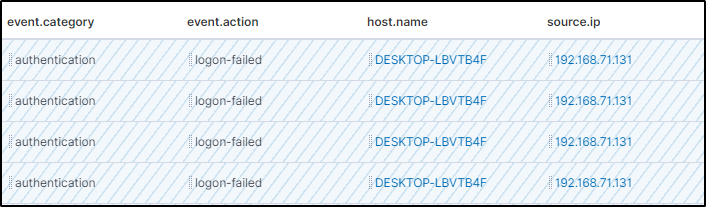
After creating the rule I did fire up again hydra and could immediatily see the results:

Hunt for Task 2

Let’s check the timeline for events:
The event.category iam looks interessting!

I modify the filter and get some more results:

To finally build the rule I need the group name:

sequence with maxspan=5m
[iam where event.action == "added-user-account"]
[iam where event.action == "added-member-to-group" and  user.target.group.name like~"Administratoren"]

Notes
It looks like an easy exercise, but for various reasons it was very timeconsuming for me:
- it was a complete new tool for me (never worked with a elastic stack before)
- had problems to get familar with the EQL syntax
- sometimes the dashboard did react very slow if you don’t set filters
- took some time to find the transition from events to correlation and howto apply the EQL then