

Assignment Series #A2 TLS – SSLKEYLOGFILE
1. Introduction
Chrome (and some Firefox versions) offer the possibility to save the tls session-keys for https connections
to a local log file. Just set the environment variable SSLKEYLOGFILE to a file where you want to store the
keys before launching chrome or another browser that is supporting NSS Key Log Format. With this approach
you don’t need a ZAP or BURP inspection proxy to decipher https traffice. After following the steps that
were described in the tutorial you did learn how to decipher a tls connection using Wireshark with the help of
the SSLKEYLOGFILE writen out by google chrome
Your task is to do the same with firefox and your report shall include:
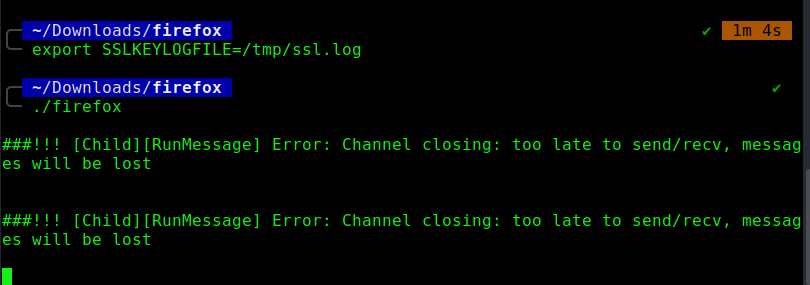
- Screenshot of your terminal after setting the SSLKEYLOGFILE
- Screenshot of your terminal after starting Firefox
- Describe if SSLKEYLOGFILE will work in combination with Firefox
2. Answers and Solution
With google chrome it worked like a charm, but with firefox I didn’t get it to work first.
After setting the export SSLKeylogfile command export SSLKEYLOGFILE=/tmp/ssl.log in the same terminal were I did start firefox, the browser did open, but no ssl.log file were written.
I did follow a fancy discussion from the wireshark mailing list. A Peter Wu did wrote a patch for firefox to
reenable the NSS Keylog file feature in firefox.
- https://www.wireshark.org/lists/wireshark-users/201911/msg00001.html
- https://bugs.debian.org/cgi-bin/bugreport.cgi?bug=842292
After spending some time to figure out howto build a custom firefox version in linux and apply this patch I get
stuck and decided to place a question regarding this exercise in our chat. Someone gave me the hint to install
and use the developer edition of firefox and right afterwards Ivan did post the solution for that:
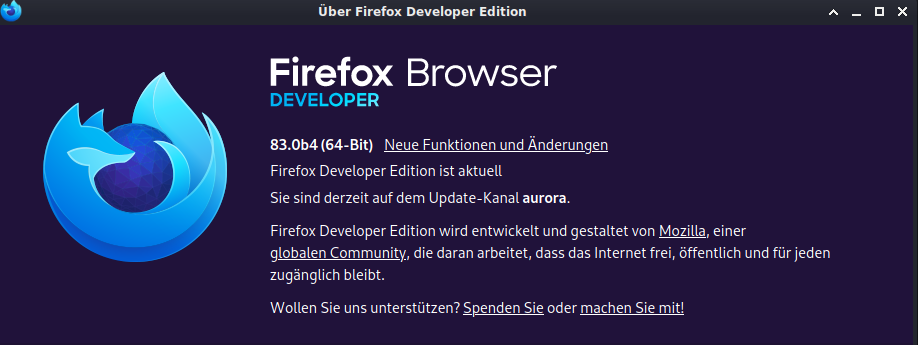
download firefox developer edition from https://www.mozilla.org/de/firefox/developer/
cd /home/hacker/Download
bunzip2 firefox-83.0b3.tar.bz2
tar -xvf firefox-83.0b3.tar
cd firefox
export SSLKEYLOGFILE=/tmp/ssl.log
./firefox
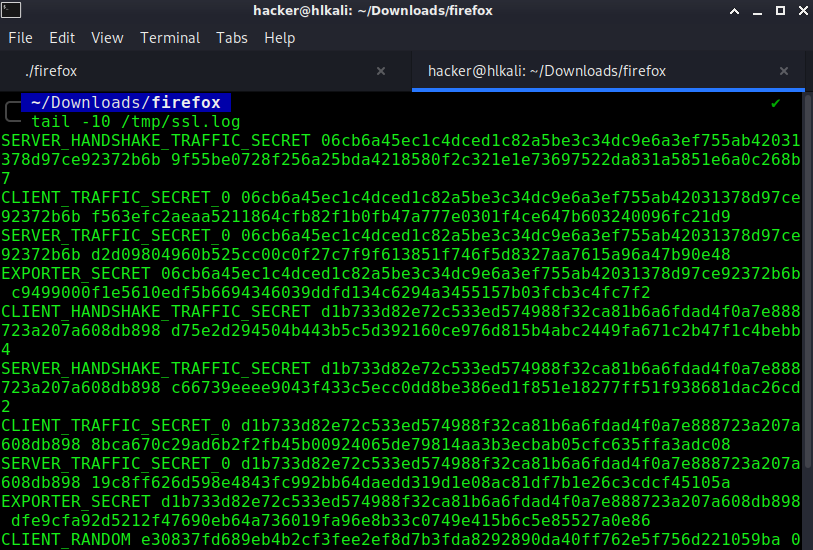
Output of tail -10 /tmp/ssl.log
PDF Report
SSLKEYLOGFILE#1