


1. Introduction
- On the evening of the 11.02.2021, An employee of your organization named "Erwin" (using the account R-WIN10) was looking at funny cat memes in his browser. His computer started misbehaving not long after.
- When the employee called for support, the suspicion arose that his computer is infected with malware.
- The employee states that he only looked at images in the internet and never downloaded or executed anything.
- The support quickly copied the Amcache.hve file from the employees computer. You will find the Amcache.hve file under RESOURCES.
You were tasked with the analysis of the Amcache.hve. Complete the following tasks:
Determine if the the employee downloaded and executed anything out of the ordinary.
If something out of the ordinary was executed, find the following:
- Time
- SHA1 hash
- Full Path
- Link Date
- Product Name
- Do you notice similarities? What could have happened?
Bonus:
Were there any additional suspicious programs executed around the time of the incident or even long before?
2. Answer and Solution
2.1 Amcache Parsing
AmcacheParser.exe -f "C:\Forensics\Amcache.hve" -i –csv "C:\Forensics"
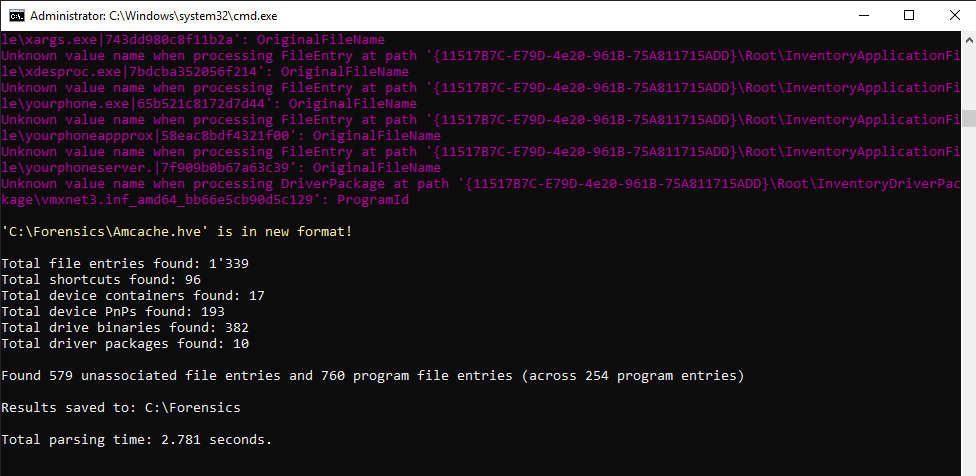
Inside Time Explorer I load the *Amcache_UnassociatedFileEntries.csv file and set the following filters:
- Is OS Component: False
- Full path contains: R-Win10

Around the incident date I can see the following suspiscious files:

- funnycatmeme.exe
- shell.exe
- psexec64.exe
- psexec.exe
Other suspiscious file before the incident date may be:
- burpsuite_pro_windows-x64_v2020_12_1.exe
- ghidra
- sysinternals tools suite
- ..