

Lab: Maintaining Access
Step 4 – AD Information Gathering & Analysis
Teamwork – Team DaMa
Description
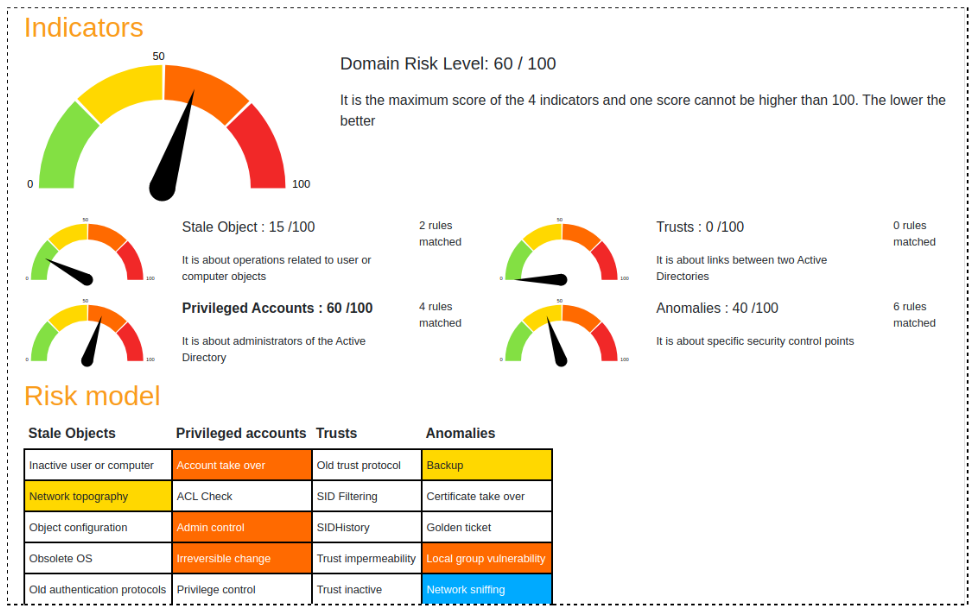
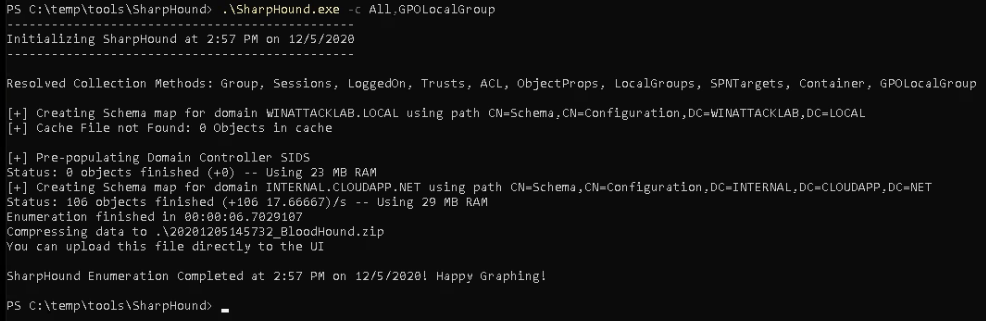
In this challenge we will query the Active Directory for vital information and gather data about valuable targets and possible further attacks. While the main tool will be Bloodhound, we will also use PingCastle to perform a quick AD health check.
Procedure
Ping Castle
BloodHound
Running the Ingestor



Questions to Answer
Q1:
Based on what you learned from Bloodhound, what is your next target?
A1:
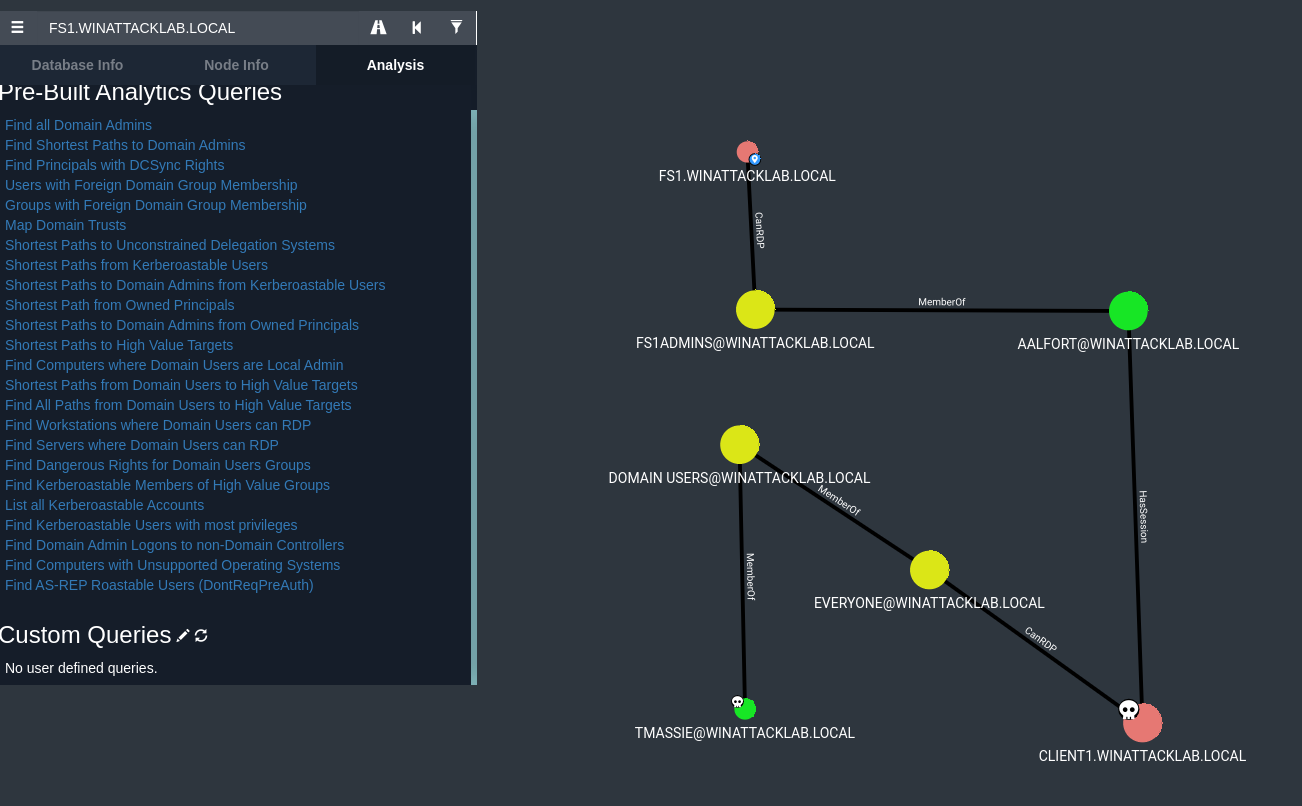
Based on the analysis we assume that FS1 is a file server and would be the final target. But to get there the first/next target/step is to own AALFORT. Aalfort is member of the FS1ADMINS group and has an acitve session on CLIENT1 we already own.
Q2:
What is required to get the credentials for the next target?
A2 (updated):
Because AALFORT has an active session on CLIENT1 the NTLM hash on this logon session can provide the
key to the final target (credential abuse).
To process the credential abuse the attacker should have the following permissions:
- administrative privileges – Integrity level high or system on CLIENT1 (required to access
LSASS memory) - SeDebugPrivileges enabled for Mimikatz to dump the LSASS memory. Mimikatz requires this
privilege as it interacts with processes such as LSASS. (The debug privilege determines which users
can attach a debugger to any process or to the kernel. By default this privilege is given to Local
Administrators. In a default installation of Windows Server 2016 the group policy is not defined which
means that only Local Administrators have this permission.)
Reference:
Preventing Mimikatz Attacks
Q3:
How do we get the credentials for the next target?
A3 (updated):
With the active session from AALFORT on CLIENT1 an credential dump with a tool like Mimikatz can provide
the credentials. The mimikatz process can be splitted into the following steps:
-
Logon as backdoor user (required to have administrative privileges as described in Q&A 2)
-
Use mimikatz and verify if the tool has the necessary privilidges (SeDebugPrivileges).
-
Perform the LSASS dump to get the credentials (NTLM hash).
sekurlsa::logonpasswords
-
Verify the values (NTLM hash) in the output (see: msv : * NTLM :).
Note:
Because AALFORT performed a Non-Network Logons authentication to CLIENT1 we expect the
credentials in the LSASS memory (by this logon session the credentials are sent to the server and stored in
LSASS memory)
Q4:
Why do you think the query "Shortest Paths to Domain Admins from Owned Principals" does not show any
results?
A4:
The fact that the owned principals aren’t member of the domain admin group nor have an active session (at
the moment) it’s not possible to find a valid path to the Domain Admins.
PDF Report
Readme-Step4-v2