


1. Introduction
- On the evening of the 11.02.2021, An employee of your organization named "Erwin" (using the account R-WIN10) was looking at funny cat memes in his browser. His computer started misbehaving not long after.
- When the employee called for support, the suspicion arose that his computer is infected with malware.
- The employee states that he only looked at images in the internet and never downloaded or executed anything.
- The support quickly copied the Prefetch directory from the employees computer. You will find the Prefetch files under RESOURCES.
You were tasked with the analysis of the Prefetch files. Complete the following tasks:
- Determine if the the employee downloaded and executed anything out of the ordinary.
- If something out of the ordinary was executed:
- Find the file name as well as the exact time of the execution.
- Were there any dialogs/warnings that the employee dismissed before the execution? Describe how you know.
Bonus:
- Were there any additional suspicious programs executed around the time of the incident or even long before?
2. Answers and Solution
2.1 Prefetch Parsing
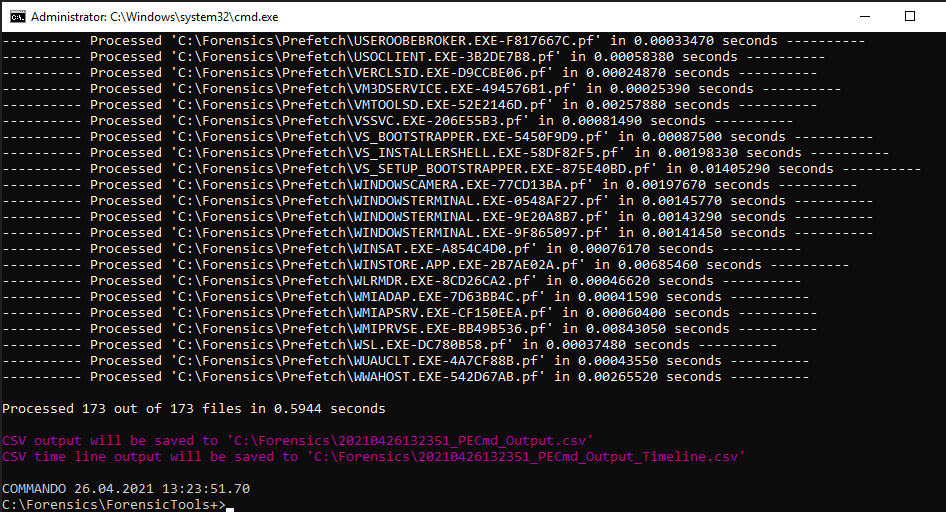
PECmd.exe -D "C:\Forensics\Prefetch" –csv "C:\Forensics" -q
2.2 Prefetch Analysis
With the helpful tool Timeexplorer.exe I’ll analyse the CSV output.
From the description I know that the employee Erwin worked with a computer account R-Win10. In Timeexplorer I’ll set a filter to see what I get.
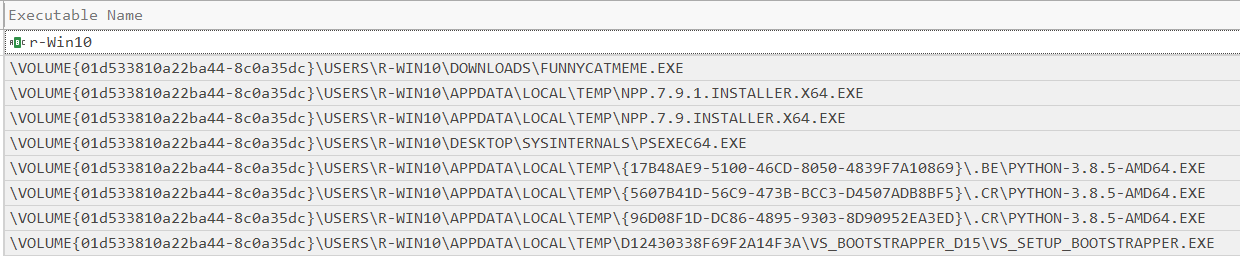
We can see that Erwin did execute a binary called Funnycat.exe. Further we can see that PSEXEC64.exe was executed from his Desktop.
Note both files where executed on the same date:

2.3 Further Analysis
Windows SmartScreen Defender was executed 6 times.

Timestamp 1 (CHROME.exe)

Timestamp 2 (MSEDGE.exe)

Timestamp 3 (MSEDGE.exe)

Timestamp 4 (svchost.exe)

Timestamp 5 (dllhost.exe)

Timestamp 6 (WMIAPSRV.exe)
